

A complete passwordless authentication addon for WHMCS that lets your clients log in to the client area with a single click — no password required. Magic Login Link sends a secure, time-sensitive login link straight to the client's email address; opening it signs the user in through WHMCS' native Single Sign-On engine.
The module eliminates login friction while keeping accounts thoroughly protected. Every token is single-use, expires automatically, is bound to the requester's IP address and browser fingerprint, and is protected by a built-in rate limiting engine (per-IP and per-email throttling with a configurable decay window). Clients can request a magic link themselves from the login page, and administrators can generate or send one directly from the Client Summary page or the Client Users table.
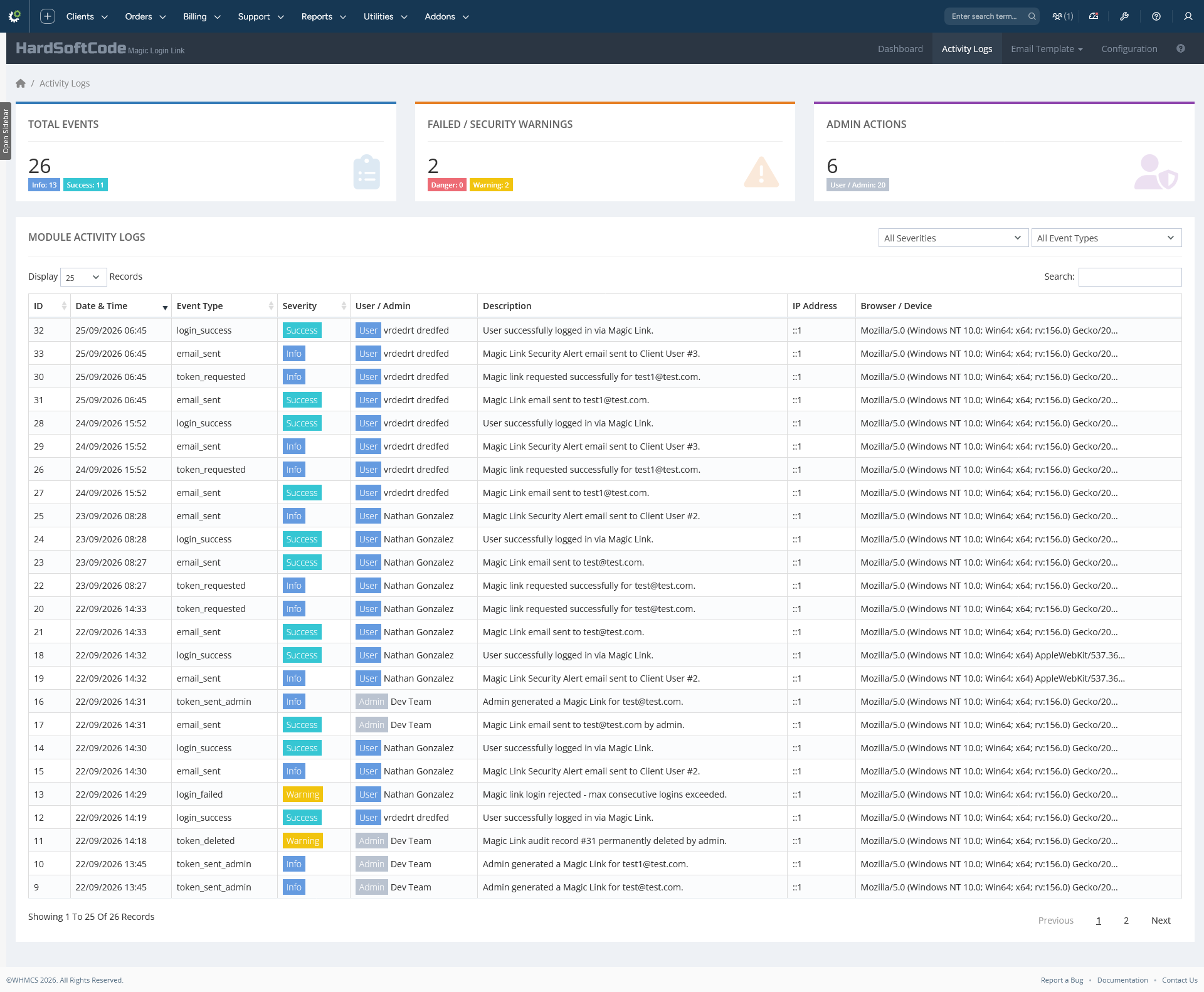
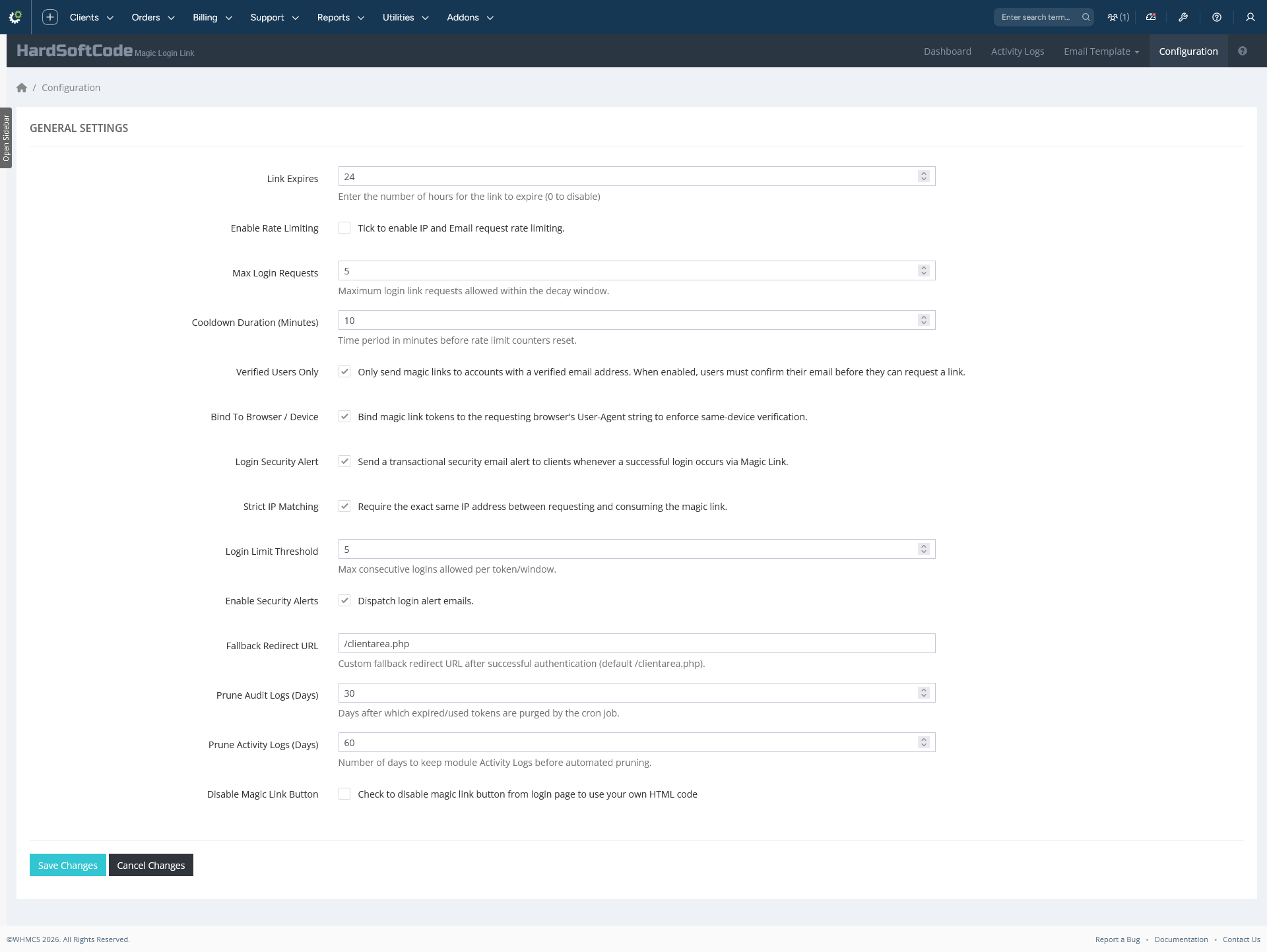
The addon ships with a full analytics Dashboard (token metrics, login trends, security events and system health), a dedicated Activity Logs screen with a filterable, server-side audit trail of every event, two ready-made email templates (Magic Link Request and Magic Link Security Alert) that install into WHMCS' email template editor with registered merge fields, and a single Configuration page for expiry, throttling, fingerprint binding, security alerts and automatic log pruning — everything governed by modern, secure, CSRF-protected admin screens.
What's new in v2.5
v2.5 adds full observability and tighter admin control on top of the existing passwordless login engine:
- Module Activity Logs — a new dedicated audit screen (
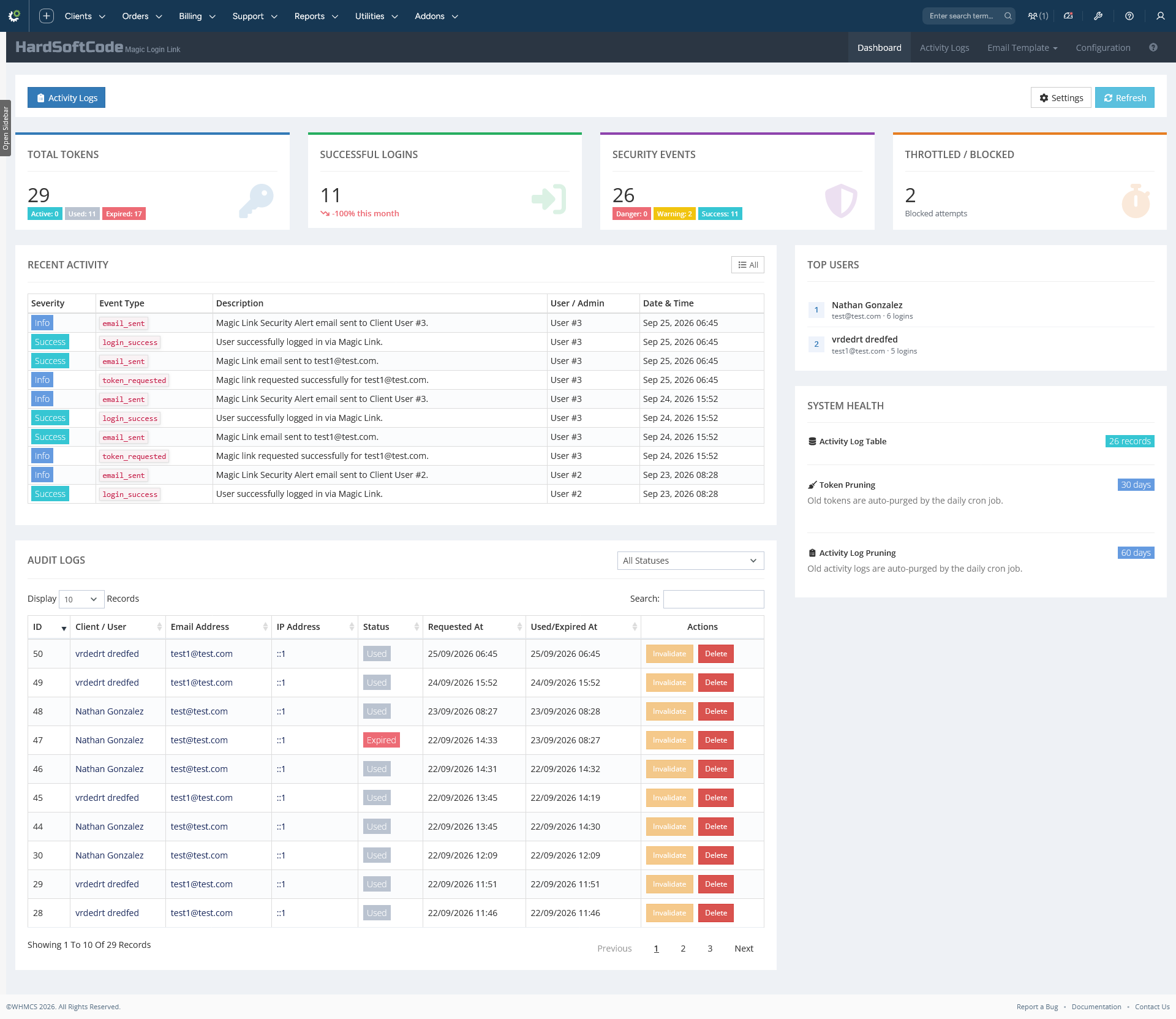
hsc_magiclink_activity_logs) recording every event with a severity level (success / info / warning / danger), the acting user or admin, IP address and browser/device. Events include token requests, admin sends, every email send (and failure), login successes and failures, IP / browser mismatches, rate-limit hits, manual invalidations and record deletions. - Analytics Dashboard — metric cards for token counts by status, successful logins with a month-over-month trend, security events, throttled/blocked attempts, top users by logins, recent activity, and a system health panel.
- Audit table management — the Dashboard audit table now supports per-row Invalidate and Delete actions (AJAX, no page reload), and the Browser & Device column was removed for a cleaner layout.
- Email send logging — every dispatched email (client request, admin send and security alerts) is recorded in the Activity Logs as
email_sent/email_failed. - Automatic pruning — the daily cron job now also prunes old activity log rows (
PruneActivityLogsDays), in addition to old tokens (PruneLogsDays). - Granular admin configuration — strict IP matching, login limit threshold, security alerts, fallback redirect URL and pruning retention are all configurable from the module's own Configuration page.
Features
Passwordless login
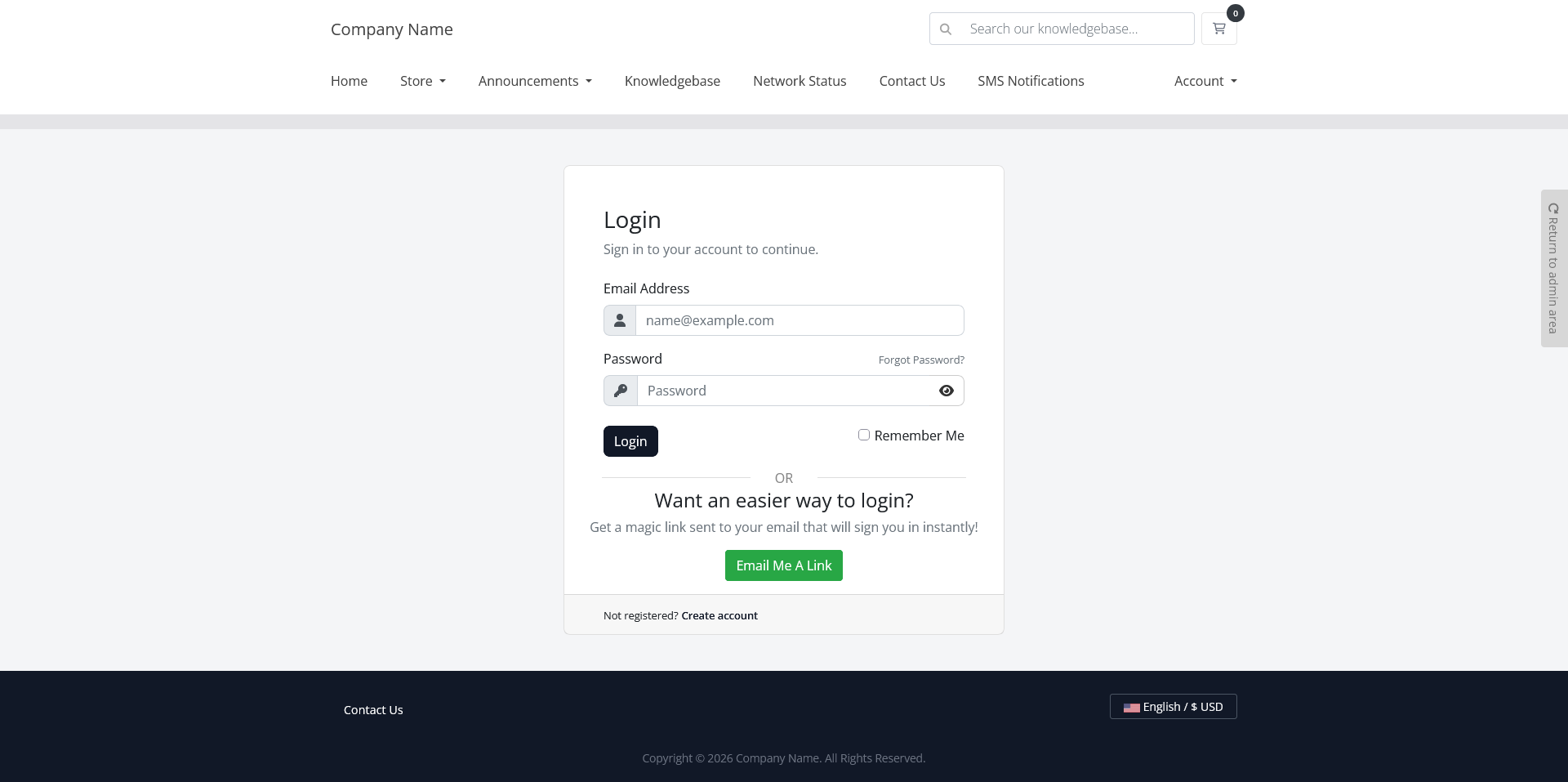
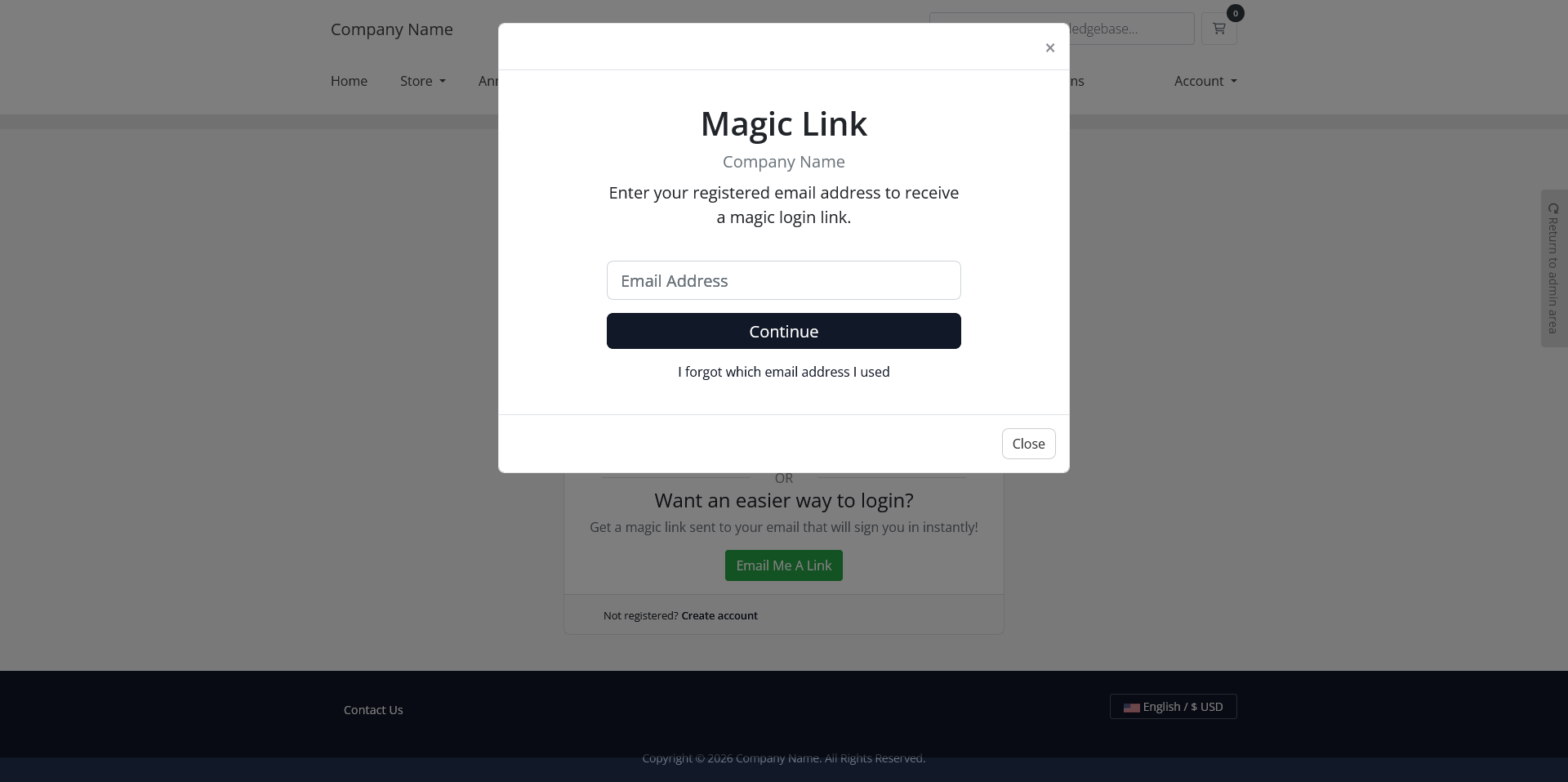
- Login page button — a "Magic Login Link" button is injected automatically into the client-area login page (or provide your own custom button HTML). Clicking it opens a modal where the visitor enters their email address.
- Single-use, expiring tokens — every magic link works exactly once and expires after the configured number of hours (default 24;
0= never expires). - Native SSO sign-in — clicking the link logs the user in through WHMCS'
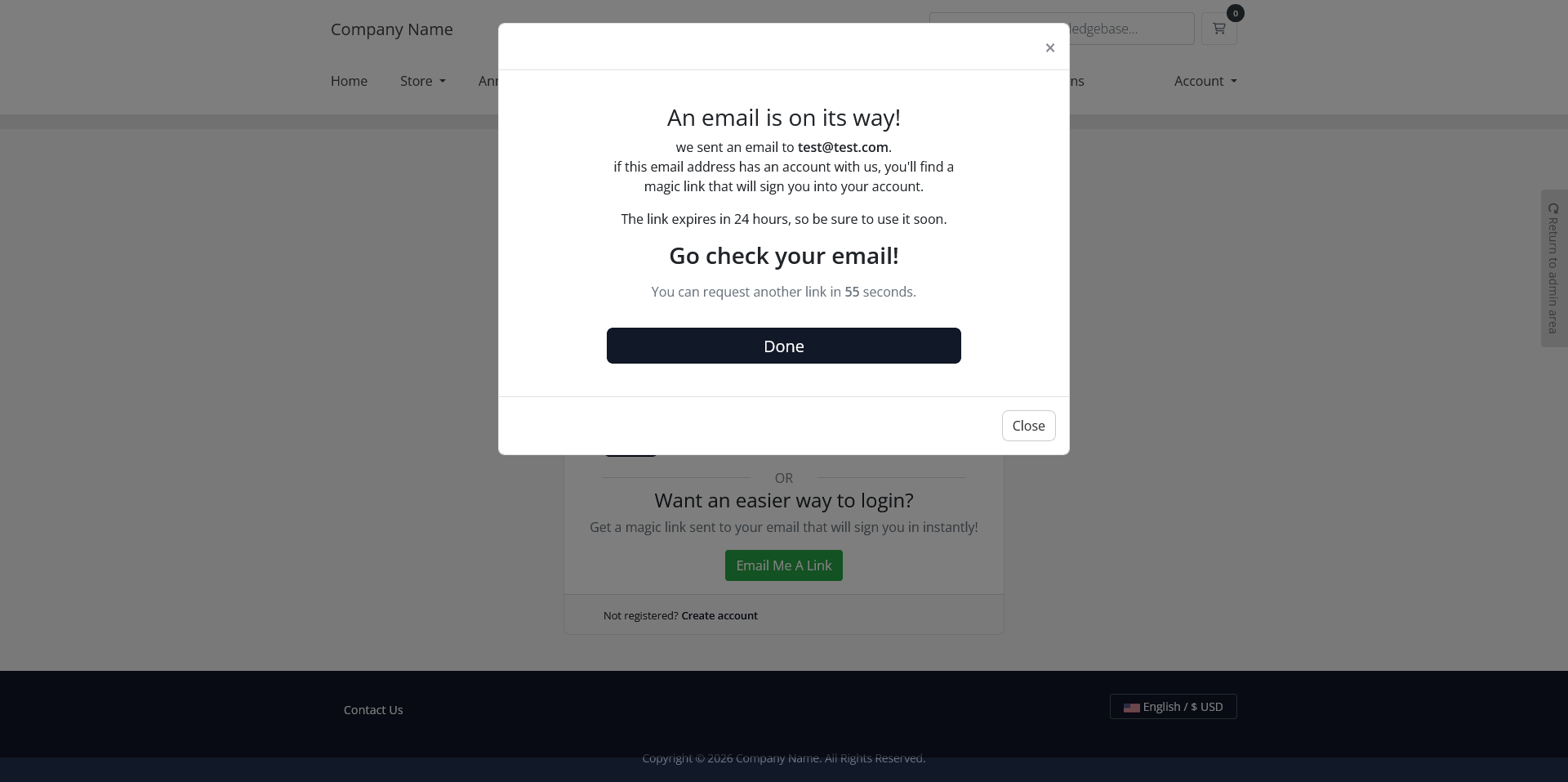
CreateSsoTokenAPI and redirects to a configurable destination (default/clientarea.php). - Account-enumeration safe — the request form always shows the same generic success response whether or not the email exists.
Security engine
- Strict IP matching — require the login to come from the same IP address that requested the link.
- Browser/device fingerprint binding — the requester's User-Agent is stored as a SHA-256 hash and must match at login.
- Consecutive login limit — cap how many times a single token can be used in sequence; the counter resets when the user logs in with their normal password.
- Rate limiting & cooldown — per-IP and per-email request throttling with a configurable decay window (enabled/disabled, max requests, decay minutes).
- Automatic token invalidation — all active tokens are expired when the client or user changes their password.
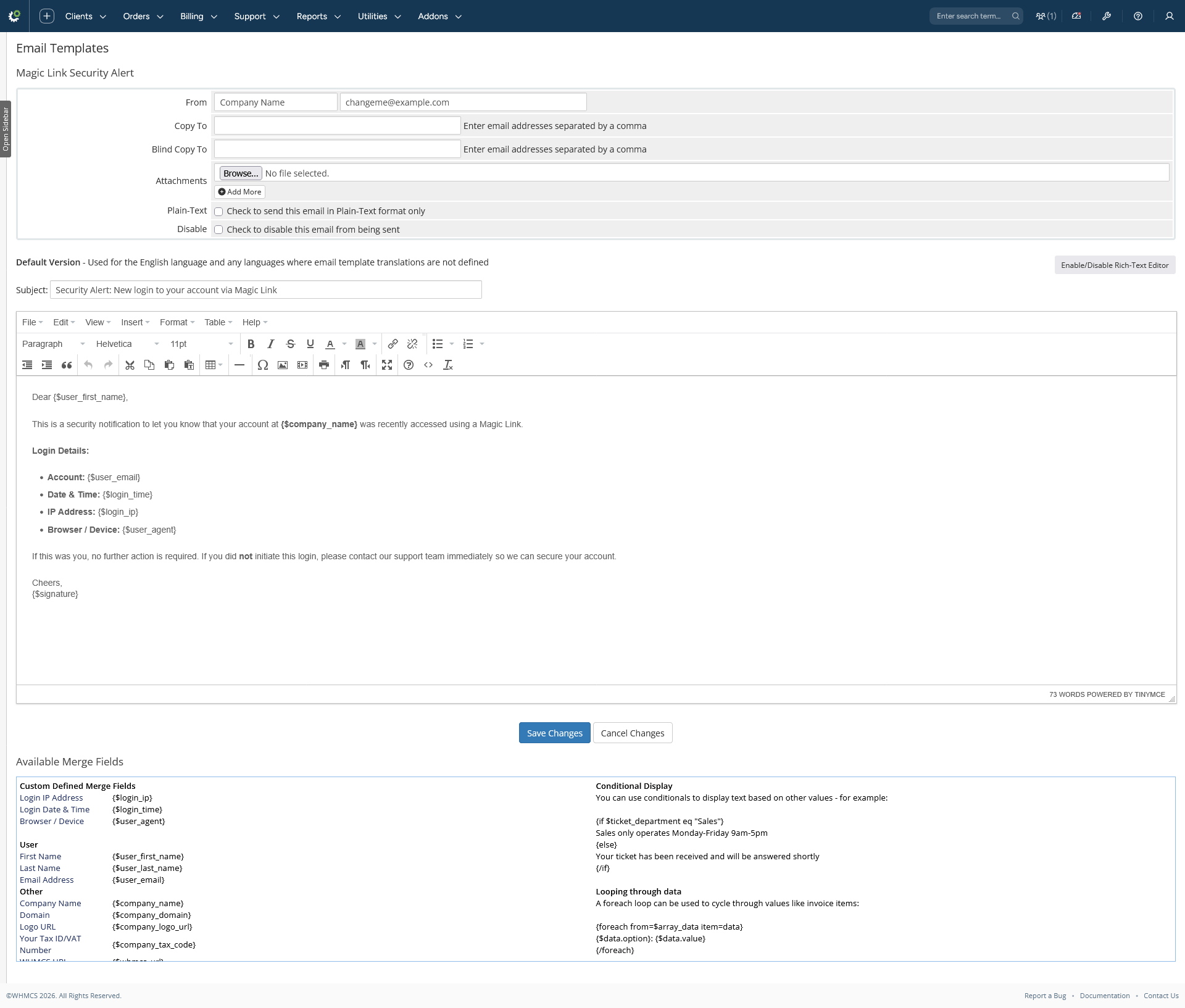
- Login security alert email — after every magic-link login the user receives a notification with the account, date & time, IP address and browser/device used (toggleable).
- Sensitive email suppression — the
EmailPreLoghook stops the magic-link email (which contains the login URL) from being stored in WHMCS' email logs.
Admin tools
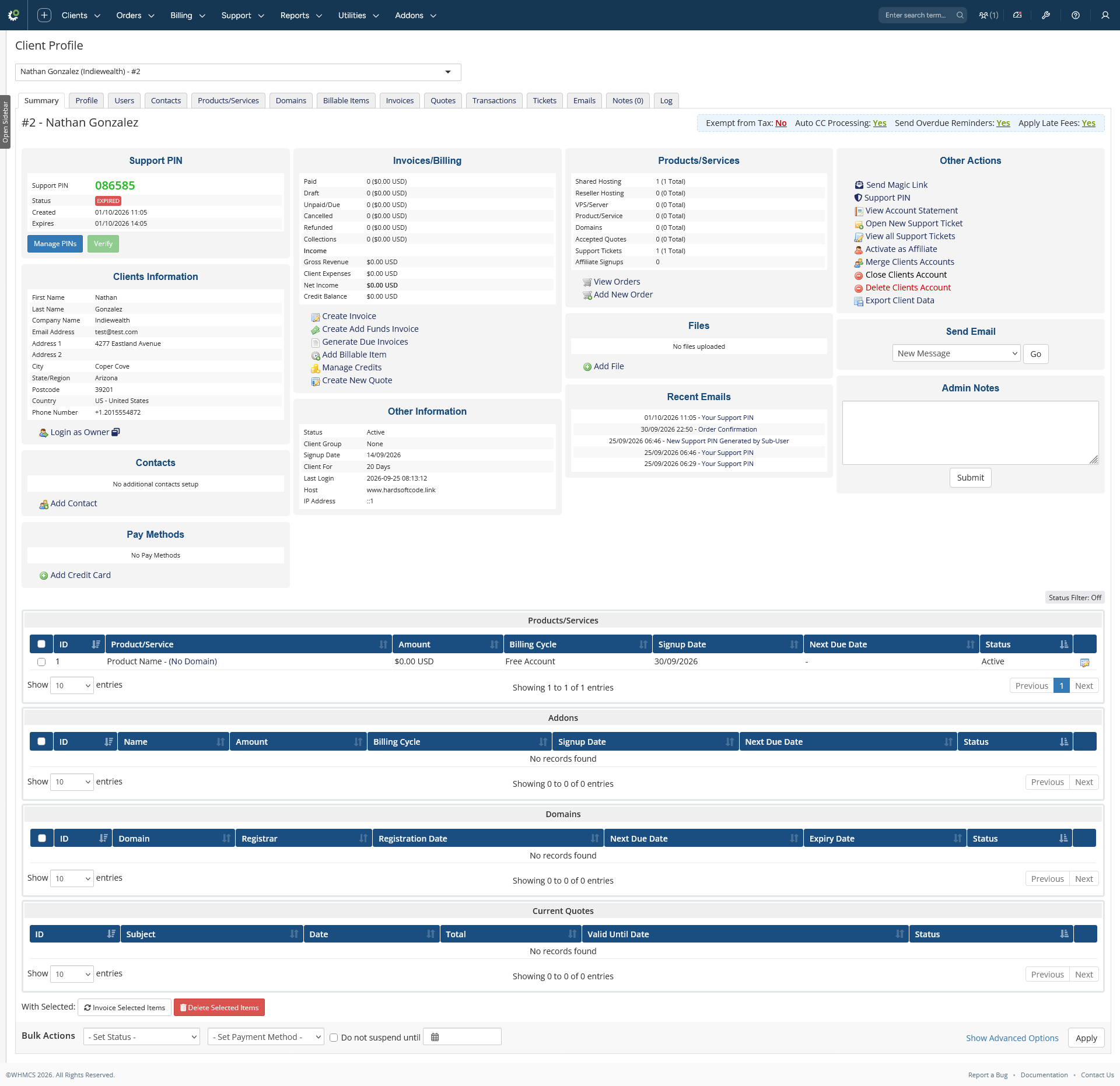
- Send / generate from the admin area — a "Send Magic Link" action link on the Client Summary page and in the Users & Permissions dropdown of the client users table: send the email instantly.
- Dashboard analytics — token counts by status, lifetime logins with month-over-month trend, security event counts, throttled attempts, top users, recent activity feed and a system health panel (table presence + pruning retention).
- Audit table actions — invalidate an active token or permanently delete an audit record straight from the Dashboard, with SweetAlert confirmation and AJAX table reload.
- Activity Logs screen — server-side DataTable with global search, severity and event-type filters, severity badges, actor labels (User / Admin / System) and a per-row AJAX delete.
Email integration
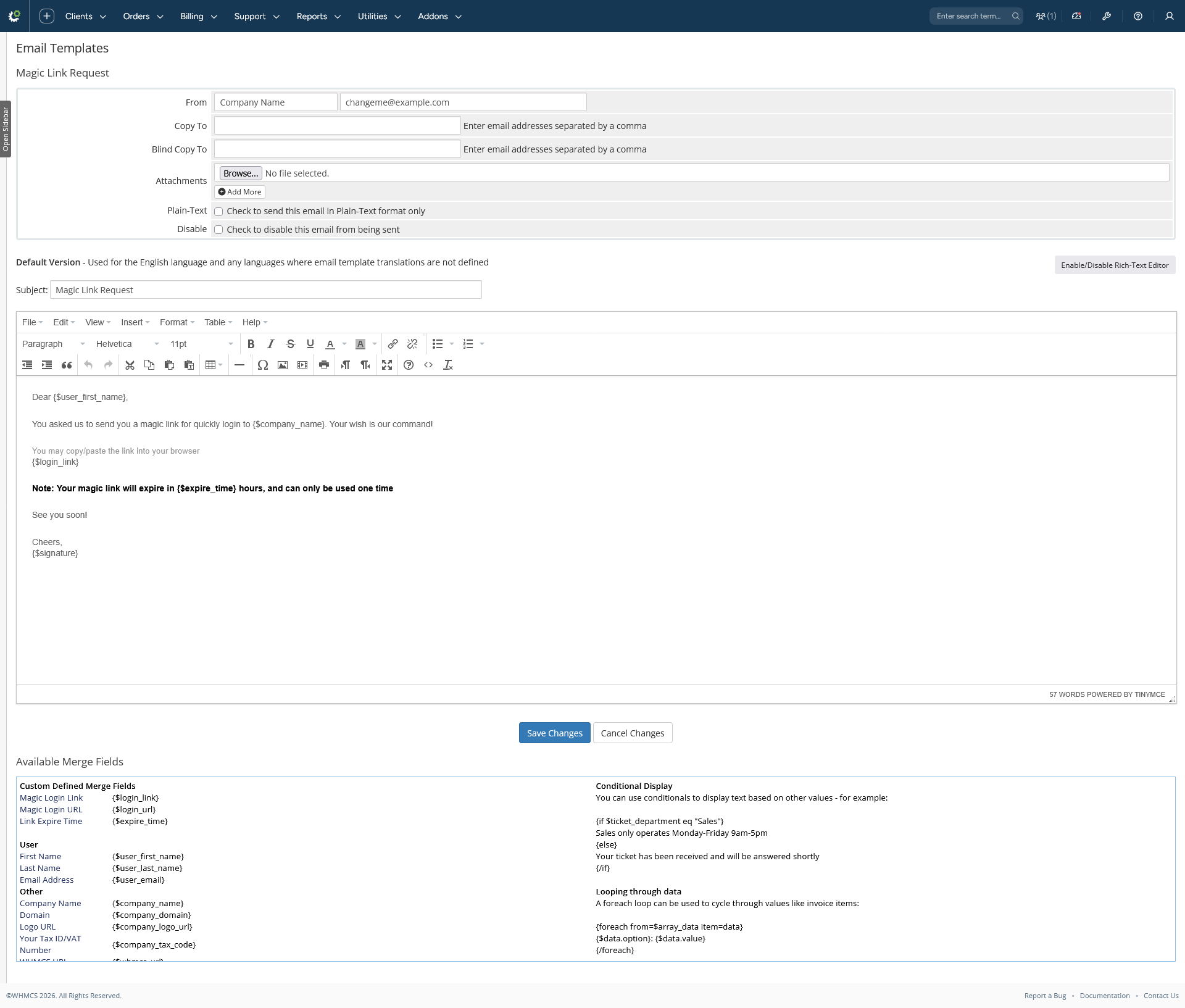
- Two ready-made email templates created on activation: Magic Link Request and Magic Link Security Alert.
- Custom merge fields registered in WHMCS' email template editor:
{$login_link},{$login_url},{$expire_time}(request) and{$login_ip},{$login_time},{$user_agent}(security alert).
Housekeeping
- Daily cron pruning — old used/expired/invalidated/failed tokens and old activity log rows are removed automatically after the configured retention days.
Please Note: Source code licenses are delivered manually. A download link will be sent to your PayPal email address within 48 hours of purchase.
Updates Included: Your initial purchase includes 1 year of free updates. After the first year, you can optionally renew your license annually to maintain access to future updates.
There are no reviews yet!
Be the first to review Magic Login Link For WHMCS.
Please login and purchase this product to review it.
There are no comments yet!
Start the discussion about Magic Login Link For WHMCS.
Please login to post a comment.
Version Compatibility
v2.5.0
WHMCS v8.13.x, WHMCS v9.0.x
Product Requirements
2.5.0
- WHMCS 8.x or 9.x.
- A web server with PHP and MySQL/MariaDB (the database used by WHMCS).
- WHMCS' native Single Sign-On feature available (used for the actual login via
CreateSsoToken). - Directory write permissions on
WHMCS_ROOT/modules/addons/MagicLink/templates_c/(compiled Smarty templates, created automatically at runtime). - The daily cron job must be configured (standard WHMCS cron) for automatic token/log pruning.
Changelog
v2.5.0
Module Activity Logs & observability
- New Activity Logs screen: server-side DataTable with global search, severity and event-type filters, severity badges, actor labels and metric cards (total events, failures, admin/user actions).
- New
hsc_magiclink_activity_logstable recording every event:token_requested,token_sent_admin,email_sent,email_failed,login_success,login_failed,token_invalidated,tokens_invalidated,token_deleted,rate_limit_exceeded,user_agent_mismatch,ip_mismatch. - Every email send is logged — client requests, admin sends and security alerts record
email_sent/email_failedin the Activity Logs. - Analytics Dashboard — token counts by status, successful logins with month-over-month trend, security events, throttled attempts, top users, recent activity and a system health panel.
- Audit table actions — per-row Invalidate (AJAX) and Delete (AJAX with SweetAlert confirmation, no page reload); deleting a record writes a
token_deletedentry to the Activity Logs. The Browser & Device column was removed from the audit table. - Automatic activity-log pruning via the daily cron (
PruneActivityLogsDays, default 60 days). - Active menu highlighting on all module admin pages.
Released September 22nd, 2026